
Your menu on the table,
orders in your panel.
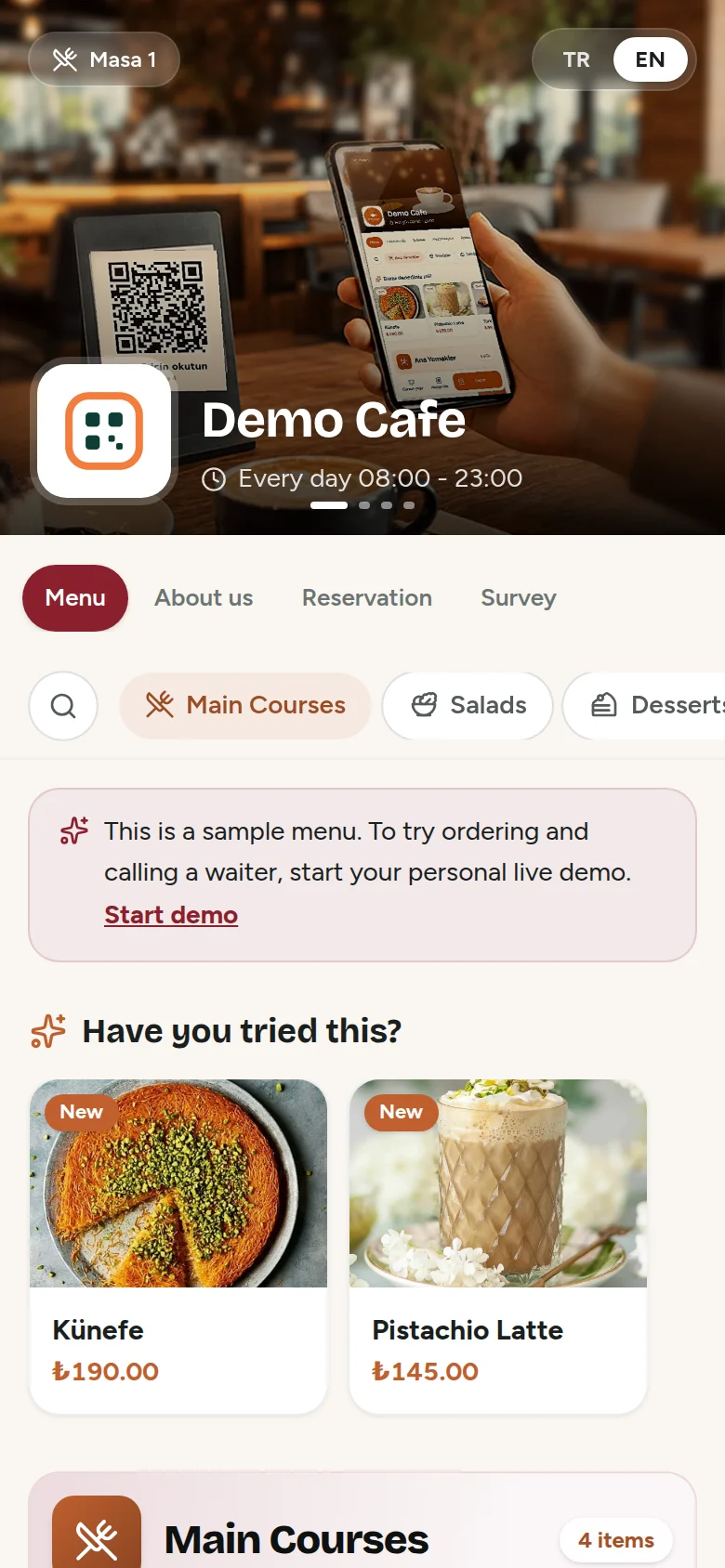
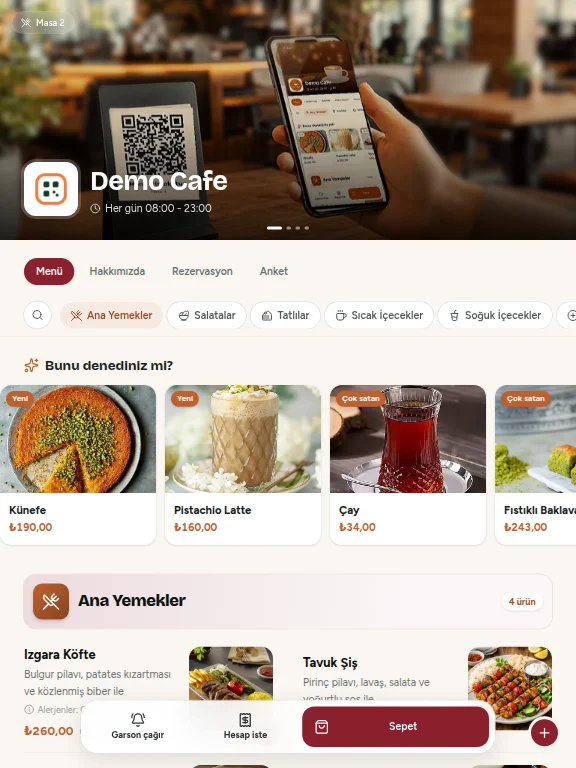
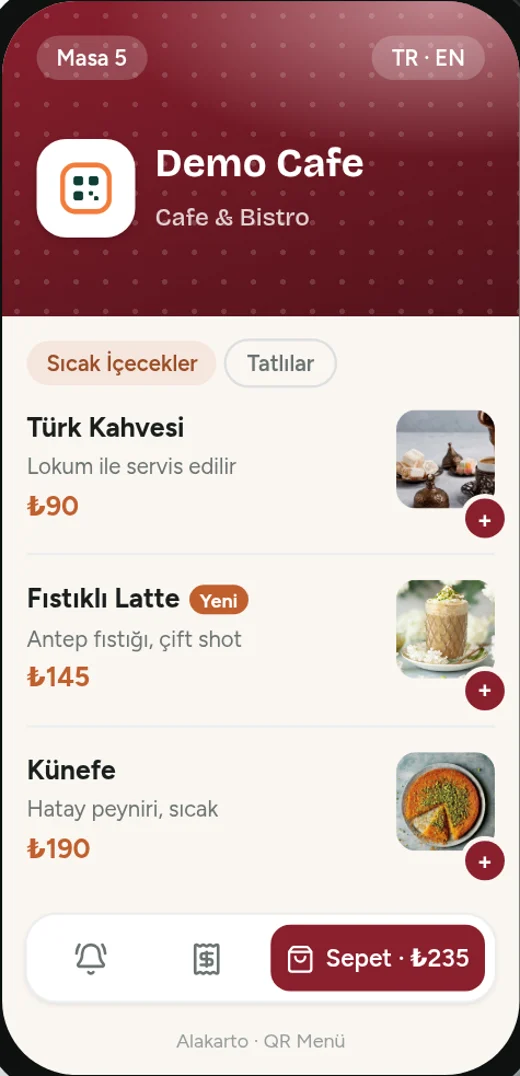
Guests scan the QR code, browse your menu in two languages, order or call a waiter. You manage everything live from one panel.
- TR / EN
- English menu option
- Live
- orders and calls
- Any device
- phone, tablet, computer
Everything your business needs
From the QR menu on the table to the waiter's phone, from the kitchen ticket to the end-of-day report. Turn each feature on or off in your panel.
The menu your guests see
Table-specific QR
A separate QR code for every table. Orders and calls arrive with the table number.
Cart and ordering
Guests add to cart and send the order; your staff see it instantly with a sound alert.
Call waiter, ask for the bill
One tap to call a waiter or ask for the bill, with cash or card preference.
Turkish / English
With the English menu module, tourists switch your menu to English with one tap; prices can also be shown in $ / €.
Reservations and surveys
Online reservation requests and a satisfaction survey in the same menu.
New product suggestions
Highlight new items with the “Have you tried this?” pop-up.
Branches and showcase
Logo, cover photos, branch details and social media accounts on one page.
Secure by design
Each business sees only its own data; passwords are stored encrypted.
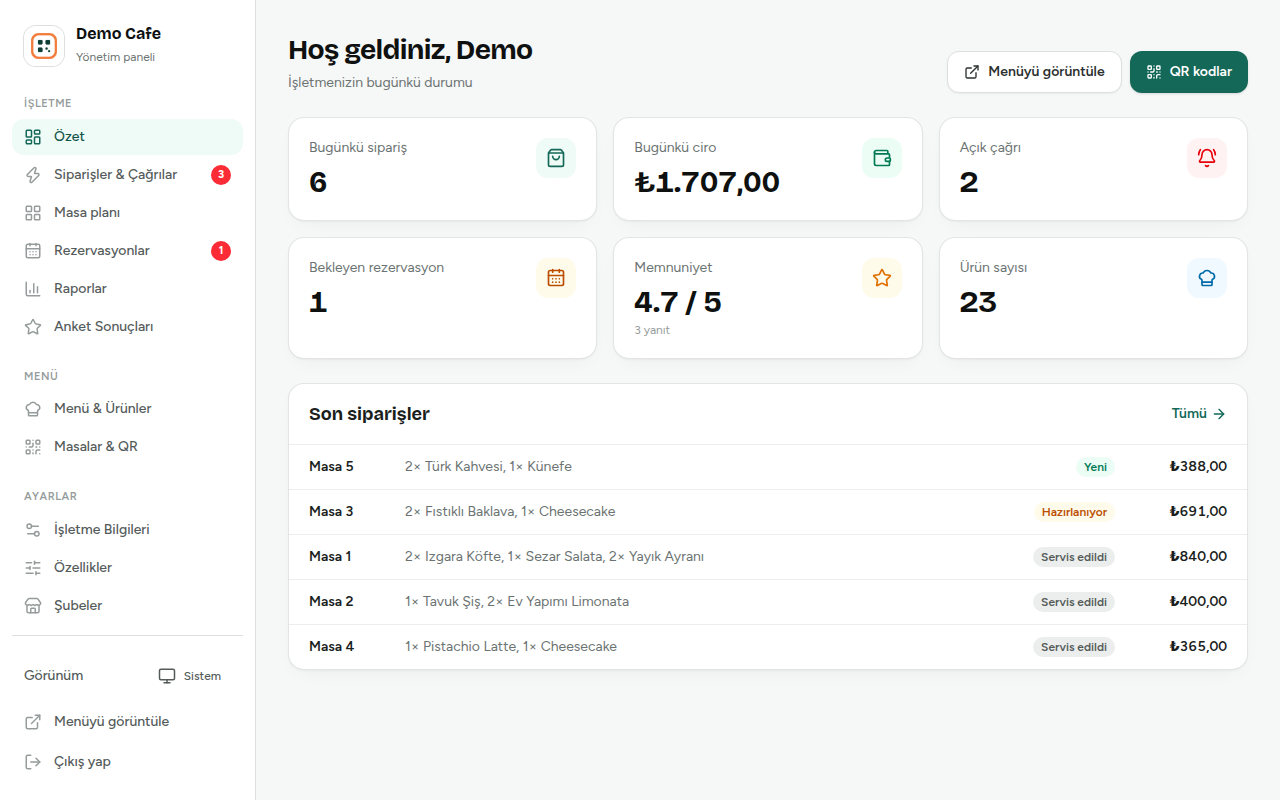
The panel that runs your floor
Waiter mode
Waiters take orders on their phone, add, remove or swap items. Removing an item always requires a reason.
Floor plan and tabs
Occupied, free and reserved tables, each table's open bill and how long guests have been seated.
POS screenNew
Tables, bill, product photos and payment on one screen. Cash, card or split; change is calculated for you.
Kitchen displayNew
Orders appear on the kitchen tablet; late orders change colour and “Ready” notifies the waiter. Kitchen and bill tickets still print.
Staff and roles
Waiter, cashier, manager: everyone signs in with their own username and sees only the screens their job needs.
Activity log
Who did what and when: cancellations, removed items, price changes, payments. An add-on module, enabled on request.
End-of-day report
Cash, card and split payments listed separately, with a bill list and tip jar. Print it in one click.
Quick setup with Excel
Upload products and tables from Excel and print QR stickers from one page. Your menu goes live the same day.
The same seamless experience on phone, tablet and computer
Neither your guests nor you need to install an app. The menu and the panel run in the browser on Android, iOS, Windows, macOS and Linux, in all modern browsers.
Adapts to any screen (responsive). From small phones to wide monitors, text, buttons and images adjust automatically; no zooming needed.
Try it yourself now
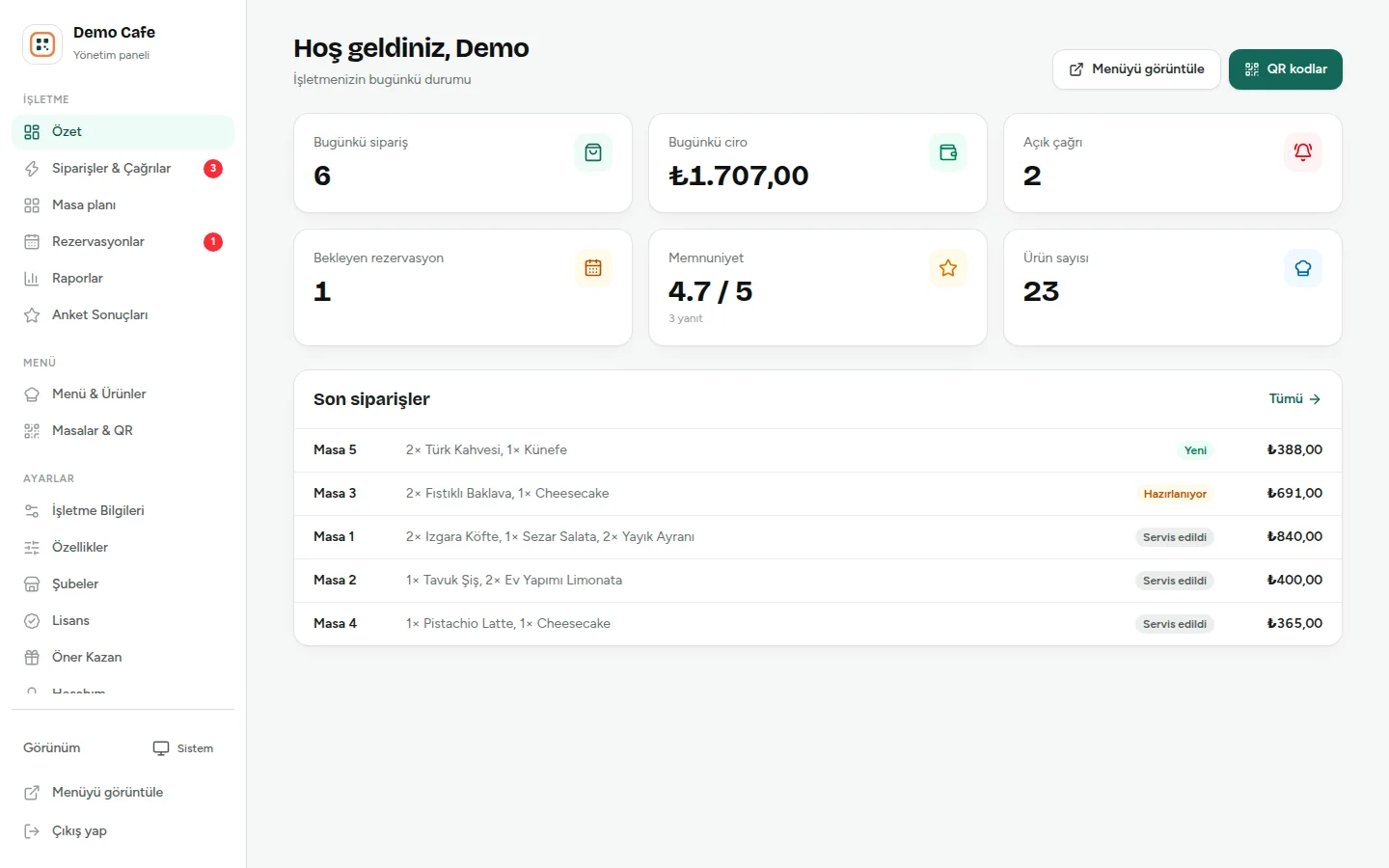
We open a personal demo for you in one click: sample menu, tables and orders are ready. Scan your demo's QR code with your phone, place an order and watch it arrive in your panel instantly. Only you see your changes; the demo is deleted automatically after 24 hours.
No form, no password. The management panel opens from the owner's point of view; scan the QR code on the first screen and order like a guest.
- Sample menu and tables included
- Orders arrive instantly
- Only you see your changes
- Deleted automatically after 24 hours
Note: the management panel is currently in Turkish; the English panel is coming soon. The guest menu is fully available in English.

Scan with your camera to see the menu your guests see. To try ordering and calling a waiter, start your personal demo.
Open menu on this deviceLive in three steps
- 1
Add your menu
Add categories, products, prices and photos in the panel. We can enter your menu for you if you prefer.
- 2
Place the QR codes
Download and print the QR codes for your tables. Every table gets its own code.
- 3
Manage orders
Follow incoming orders and calls live on screen with a sound alert.
Choose the plan that fits your venue
Start with the QR menu, add table ordering and the floor plan. Yearly or monthly, per branch, excluding VAT. Prices for international customers can be tailored to your country.
Aperatif
Cafés and restaurants moving their menu online
- Photo QR menu, unlimited items
- Your colours and logo
- Sold out / hide in one tap
- Guest survey, Google reviews
- Instagram, WhatsApp, map, About us
- Table QR codes, ready to print
Fix Menü
Venues taking orders from the table
- Everything in Aperatif
- Order from the table (cart)
- Call waiter, request the bill
- Live orders with sound alerts
- Waiter mode (orders by phone)
- Floor plan
- Staff accounts and roles
Boss
Managing bills, payments and reports in one place
- Everything in Fix Menü
- POS screen: cash, card, split
- Kitchen display, bill and kitchen tickets
- Revenue and payment reports
- Activity log (who, when)
- Reservations
- Product options, prep time, new item tips
← Swipe to see the other plans →
English menu with $ and € prices, for tourist areas. Add to any plan.
Let us set it up for you
Fill in the form and we will get in touch. We prepare your menu together and start your 7-day free trial; no credit card required.
Prefer to start on your own?Sign up with your email and password and start right away with a sample menu.Frequently asked questions
Do guests need to install an app?+
No. Guests scan the QR code with their phone camera and the menu opens in the browser. Nothing to install.
Can the menu be shown in English?+
Yes. With the English menu module, guests switch between Turkish and English with one tap. You can also show prices in $ or € next to the Turkish lira price.
How do I try it?+
Start your personal live demo in one click, or sign up for a 7-day free trial with your own menu. No credit card required.
Is the management panel available in English?+
The panel is currently in Turkish; the English panel is coming soon. We help you with setup in English.
Can I update prices and products myself?+
Yes. Changes you make in the panel appear in the menu instantly. You can also mark items as sold out or update prices in bulk.
How are payments handled?+
Guests ask for the bill from the menu with their cash or card preference; your staff close the bill. Online payment is coming soon.